

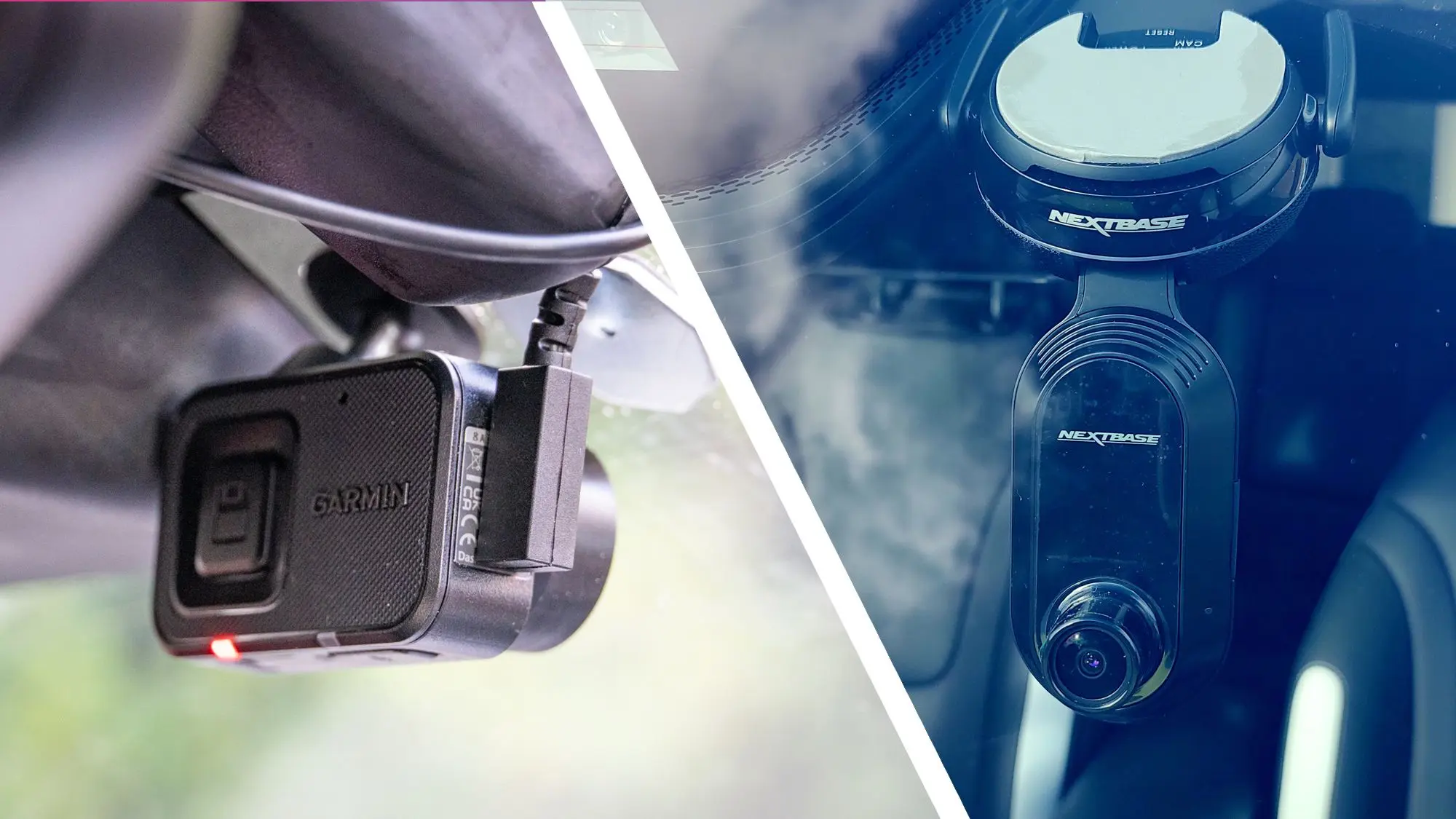
Why You Need a Dash Cam
Dash cams have become essential accessories for modern drivers. They provide crucial evidence in case of accidents, deter theft and vandalism, and even help improve driving habits. With the market flooded with options from established brands like Garmin, Nextbase, and 70mai, choosing the right one can be overwhelming. Our team of experts has rigorously tested dozens of models to bring you the top picks for 2025.
How We Tested
We evaluated each dash cam on five key criteria: video quality (day and night), field of view, ease of installation, reliability in extreme temperatures, and additional features such as GPS, parking mode, and cloud connectivity. Each device was used in real-world driving conditions over a period of two weeks, with footage reviewed by our panel of editors.
Best Overall: Garmin Dash Cam 67W
The Garmin Dash Cam 67W strikes the perfect balance between price, performance, and feature set. It records crisp 1440p video at 60 frames per second, with a wide 180-degree field of view that captures three lanes of traffic. Garmin's Vault cloud storage allows you to automatically back up footage when connected to Wi-Fi, and the optional OBD-II power cable enables parking surveillance. The built-in GPS and voice control make it effortless to tag locations and control the device hands-free. In our night tests, the 67W delivered exceptional low-light clarity thanks to its high-sensitivity sensor and HDR processing.
Best Budget: 70mai Dash Cam Omni
For drivers on a tight budget, the 70mai Dash Cam Omni offers surprising value. Despite its low price point, it records smooth 1080p video with a 140-degree lens. The standout feature is its voice control and infrared night vision, which works well in complete darkness. The included mount uses a simple adhesive pad that doesn't leave residue, and the companion app is intuitive for reviewing files. While it lacks GPS and parking mode out of the box, an optional hardwire kit can add parking monitoring. For basic crash recording, the Omni is reliable and easy to use.
Best Premium: Nextbase 622GW
The Nextbase 622GW is the flagship model from the UK-based brand, offering 4K resolution at 30fps with a highly effective image stabilization system. Its magnetic mount allows quick removal for indoor use or to protect against theft. The 'What3Words' integration automatically captures your exact location, which is incredibly useful when reporting an incident. The included polarizing filter reduces glare from windshields and dashboards. The 622GW supports a rear camera add-on and has an optional OBD-II module for enhanced parking mode. In our test, the 4K footage showed remarkable detail, making license plates readable even at highway speeds.
Best for Parking Mode: Viofo A229 Pro
While not originally mentioned in the title, Viofo has become a major player in the dash cam space. The A229 Pro features front and rear cameras both recording in 4K, with a sophisticated radar-based parking mode that detects motion and impact without draining the car battery. The built-in buffered parking mode saves 10 seconds of footage before the event, which is critical in hit-and-run scenarios. The capacitor-based power system ensures reliable operation in extreme heat and cold, unlike battery-powered units that can degrade. Installation is straightforward with the included GPS mount, and the mobile app provides easy access to settings and recordings.
Best for Night Vision: Garmin Dash Cam Mini 3
Garmin's smallest dash cam, the Mini 3, packs impressive night vision capabilities into a compact body that can be tucked behind the rearview mirror. It records 1080p video with HDR that excels in low-light conditions. The Mini 3 relies on Garmin's Drive app for viewing and downloading footage, and it supports cloud storage when connected to a home Wi-Fi network. The adhesive mount is permanent, but the small size makes it nearly invisible from outside the vehicle. For drivers who prioritize discreetness and nighttime performance, the Mini 3 is a top choice.
Key Features to Consider
Video Resolution and Frame Rate
Higher resolution (1440p or 4K) provides clearer details, but it also requires more storage space. A balance of 1440p at 60fps is often ideal for capturing fast-moving objects. Night-time performance is heavily dependent on sensor quality and HDR processing. Most budget cams use a 1080p sensor that works well in daylight but struggles at dusk.
Field of View (FOV)
A wider FOV (150–180 degrees) captures more of the road, including side lanes and intersections. However, extreme wide angles can cause fisheye distortion that makes plate numbers harder to read. A sweet spot of 140–160 degrees works best for most drivers.
Parking Mode
Parking mode is a critical feature if you park on the street or in public lots. The best systems use motion detection and impact sensors to record only when something happens, preserving battery life. Hardwiring the dash cam is recommended to avoid draining the car's battery. Some models, like the Viofo A229 Pro, include low-voltage cut-off to prevent you from being stranded.
Storage and Cloud Features
Most dash cams support microSD cards up to 512GB. A 64GB card stores roughly 8–10 hours of 4K footage, while a 256GB card can hold multiple days' worth. Cloud backup is convenient for automatically saving clips to a remote server, but it requires a stable Wi-Fi connection (often at home). Garmin's cloud service is one of the best in terms of user interface and reliability.
Installation and Mounting
Adhesive mounts are permanent and secure, while suction cup mounts allow quick removal but can loosen in hot weather. Magnetic mounts offer a good compromise, but they may rattle on rough roads. For a clean look, many users opt to hide the power cable along the headliner and A-pillar, which is easier with a long USB cable and a hardwire kit.
How to Choose the Right Dash Cam for You
Start by determining your budget and must-have features. If you mainly drive during the day and want a simple insurance recorder, a budget 1080p model like the 70mai Omni will suffice. For frequent night driving or parking in high-crime areas, invest in a model with superior night vision and motion-detection parking mode, such as the Garmin Mini 3 or Viofo A229 Pro. Enthusiasts who want the absolute best image quality should consider the Nextbase 622GW, especially if they also want a rear camera. Finally, always check the dash cam's operating temperature range if you live in a climate with extreme heat or cold. Most modern capacitor-based units handle -20°C to 70°C without issues.
Installation Tips for Optimal Performance
Proper placement is crucial for getting clear footage. Mount the camera behind the rearview mirror on the passenger side to minimize driver distraction. Ensure the lens is level with the road and not obstructed by tinted sunstrip or window defroster lines. For the rear cam, place it high on the rear window for the best view of vehicles behind you. Use a cabling kit that allows you to tuck the wire neatly under the headliner, down the A-pillar, and under the dashboard. Many dash cams come with a trim removal tool to facilitate this process. If you choose to hardwire, ensure you connect to a fuse that is only powered when the ignition is on (or always on for parking mode, with a low-voltage protector).
Regularly check the SD card for errors and format it every month to prevent corruption. Some dash cams have built-in formatting reminders. Also, update the firmware to the latest version to receive bug fixes and new features. The companion apps from Garmin, Nextbase, and 70mai are regularly updated with improvements.
Finally, be aware of local laws regarding dash cams. In some jurisdictions, audio recording is restricted, or the camera must not obstruct the driver's view. Always mount the device in a position that complies with your region's regulations.
With the right dash cam installed, you can drive with peace of mind knowing that every mile is recorded. Whether you opt for the feature-rich Garmin 67W, the budget-friendly 70mai Omni, or the premium Nextbase 622GW, each of our tested models delivers reliable performance that will protect you on the road.
Source: TechRadar News