

USB-C has evolved from a promising connector concept into the common port found on nearly every laptop, smartphone, tablet, and accessory. Introduced by the USB Implementers Forum in 2014, the standard was designed to be smaller, reversible, and more universal than the square USB Type-A port that dominated earlier generations. More than a decade later, it has essentially displaced older connectors such as USB Mini B and Micro-B, and it continues to support faster charging and faster data transfer standards as new versions appear.
For everyday users, the convenience is hard to beat. One cable can charge a phone, connect a portable drive, power a desk lamp, or send video to a monitor. Because so many devices now share the same port, keeping the right tools on hand is simpler than ever. Here are 13 practical USB-C gadgets that prove just how useful this connector has become.
Electric screwdrivers
Even people who do little around the house occasionally need a screwdriver. A cordless electric model makes quick work of tightening and loosening fasteners, and with USB-C charging, it is easy to keep one ready for spur-of-the-moment repairs. Professional-grade models from major tool brands can cost around $90 or more, but lighter jobs do not require that level of investment.
A good middle ground is the Hoto 25-piece screwdriver kit, which sells for about $50 and includes 25 bits. Its USB-C port recharges the built-in battery in under two and a half hours. For those who need fewer bits, Hoto also offers a 12-in-1 model for roughly $10 less. These compact drivers are ideal for furniture assembly, electronics tinkering, and small household projects.
Video output adapters
USB-C is more than a charging and data port. Many computers support DisplayPort over USB-C, which means a single port can output video to an external monitor while also carrying power for the laptop. The challenge is that not every monitor has a USB-C input. Fortunately, adapters solve that problem.
Simple USB-C to HDMI cables and adapters, such as those from Highwings, let users connect a modern laptop to a TV or office display. For DisplayPort monitors, options like the Acer USB-C to DisplayPort cable are useful. Even older displays are not forgotten: USB-C to DVI cables and USB-C to VGA adapters still exist for legacy equipment. With these adapters, video output is one of the most practical hidden talents of USB-C.
Power banks
Smartphone dependence makes portable power essential. Power banks remain the easiest way to recharge a phone away from a wall outlet, and many now use USB-C to charge both the power bank itself and other devices. The tradeoff is slower charging than a wall adapter in some cases, but portability often matters more.
The market is full of useful options. For heavy users who need to charge a laptop as well as a phone, high-capacity models like Baseus’ 25,000mAh power bank are worth considering. More compact choices, including the Nimble Champ and Anker Nano, fit easily in a pocket or small bag. Whether the goal is a top-up during a commute or a full charge on a long flight, there is a USB-C power bank suited to the job.
Hubs and docking stations
Modern laptops are notoriously limited in ports. Two or three USB-C ports may be enough for basic use, but they can feel restrictive when someone needs to connect peripherals, monitors, and storage at the same time. USB-C hubs and docking stations solve this by expanding one port into several.
Simple hubs like Anker’s 4-in-1 USB-C hub turn a single USB-C port into four Type-A data ports for about $18. These are ideal for adding legacy USB devices to a laptop without spending much. On the other end, docking stations such as Baseus’ 7-in-1 unit and Anker’s 13-in-1 station offer HDMI output, SD card readers, headphone jacks, Ethernet, and more. The right hub depends on how many ports and which display connections a user needs.
Flash drives
Cloud storage is convenient, but the humble flash drive remains useful for large file transfers, offline backups, and moving data between devices that are physically nearby. USB-C flash drives are especially handy for modern laptops and phones that no longer include full-size USB ports.
Even a USB 3.2 Gen 1 drive such as the SanDisk Creator can deliver real-world read speeds around 300 MB/s, which is often faster than uploading over a home internet connection. For most people, that kind of performance is plenty. Enthusiasts who need faster throughput can look at drives like the SanDisk Extreme Pro, which has read and write speeds approaching 1,000 MB/s, though the 512GB version costs nearly $140. The same capacity Creator model sells for about $88, making it a reasonable balance of price and speed.
Monitor light bars
A monitor light bar might not be an obvious addition to a desk setup, but it can improve visibility and reduce eye strain. These slim devices sit on top of a monitor and cast light across the screen and work surface without taking up desk space. Instead of relying on overhead lighting or a bright desk lamp, users can direct light exactly where it is needed.
Many monitor light bars are powered through USB-C. Good models offer adjustable color temperature, usually between 3000K and 6500K, so the light can feel warm or cool depending on the room. Some also include auto-dimming sensors to prevent glare. Options such as the Quintis monitor light bar work well with flat screens, while curved monitors need models designed for their radius, like the Onway curved monitor light bar, which supports 1000R and 1800R curves.
Portable fans
Hot weather makes portable fans a practical everyday accessory. Handheld and desk fans have become more powerful and quieter in recent years, and many run on rechargeable batteries charged through USB-C. They provide immediate relief during commutes, outdoor activities, or long days at a desk without air conditioning.
Affordability is another advantage. The Tunise portable fan costs about $15, offers six speeds, and has a 4,000mAh battery that can run up to 18 hours at low speed. For a more stationary option, the Warmco D3 has a larger 10,000mAh battery, a built-in kickstand, and a slim body that can still slide into a bag. Portable fans are no longer niche; they are simple, inexpensive tools for staying cool.
AA batteries
Rechargeable lithium-ion devices are everywhere, but many households still use AA batteries in remote controls, game controllers, bike lights, and other gadgets. Traditional rechargeable AAs require a dedicated charger, but newer rechargeable AA batteries have USB-C ports built directly into the battery itself. This design removes the need for a separate charger and makes it simple to top up batteries with a standard USB-C cable.
Products like the Coast Zithion-X and HW rechargeable AA batteries ship with 1-to-4 USB charging cables, allowing users to charge all four batteries from a single USB port. They are more expensive than standard rechargeable AAs, with a four-pack costing around $30, and each charge can take a couple of hours. Still, for people who regularly use AA-powered devices, the convenience is worth the price.
EDC flashlights
A flashlight is a classic everyday carry item, even for people who do not think of themselves as outdoorsy. Small USB-C flashlights are bright enough for practical use while remaining compact enough for a pocket, drawer, or car glovebox. Finding something in a dark computer case, checking the back of a closet, or looking for an item under a car seat all become easier with a dedicated light.
Smartphone flashlights work in a pinch, but many produce only about 40 to 50 lumens. Compact USB-C flashlights like the Wuben C3 can output up to 1,200 lumens for around $30. More advanced options include the Olight Arkfeld Ultra, which combines a 1,400-lumen flashlight with a UV light and laser pointer, and the Nitecore EDC37, which reaches an eye-searing 8,000 lumens with a throw of about 459 yards. These higher-end lights cost around $120 to $140 but offer serious performance.
DACs and headphone dongles
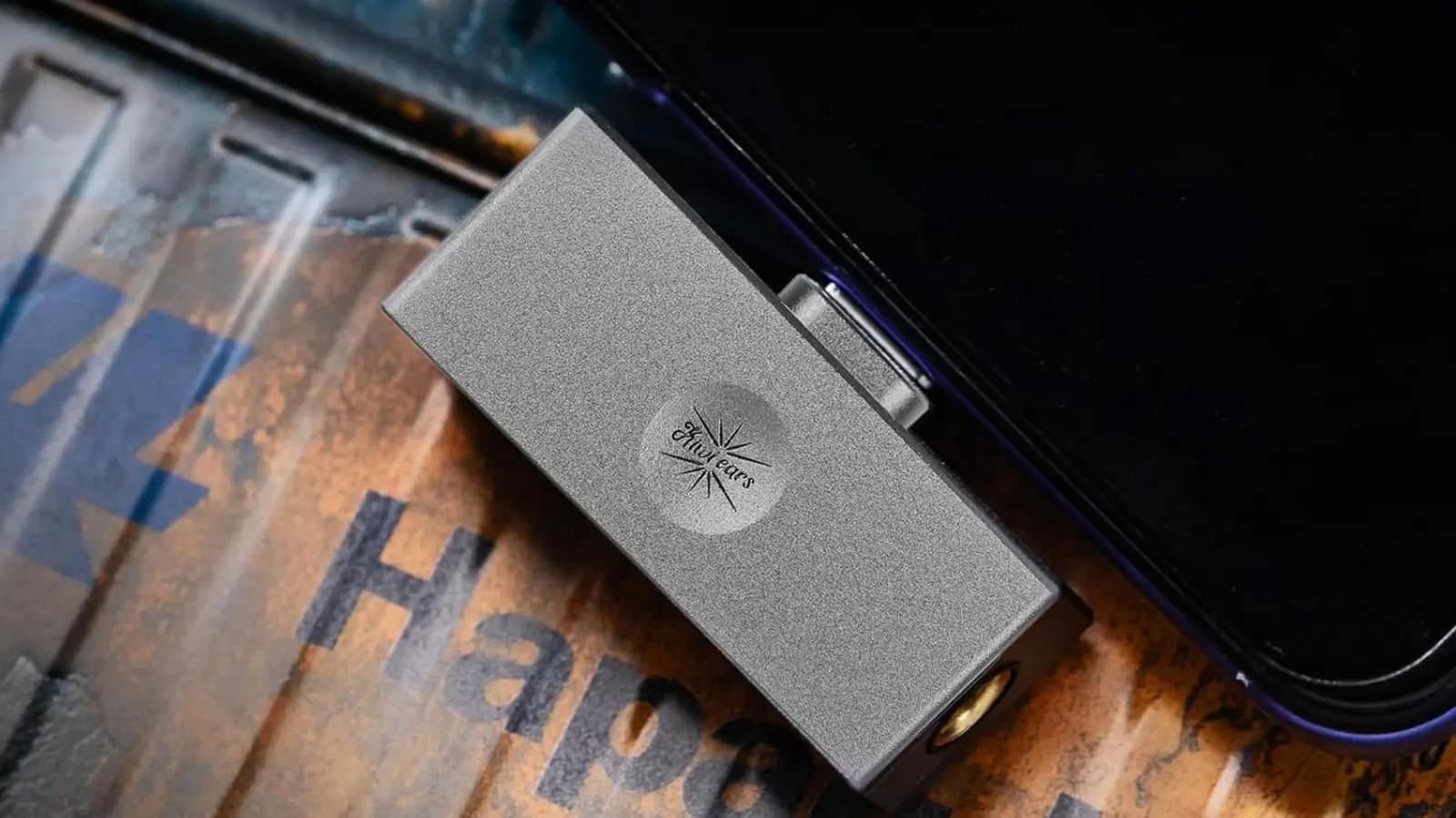
Wired earphones have made a comeback, but many phones and laptops no longer include a headphone jack. A dongle DAC solves this problem by converting digital audio from a USB-C port into an analog signal for a pair of wired earphones. These small devices combine a digital-to-analog converter with a headphone amplifier in a compact package.
Basic USB-C headphone adapters can cost as little as $9, but budget-friendly audiophile options such as the Kiwi Ears Allegro Mini at $26 and the FiiO KA11 at $33 offer better sound for only a little more money. Serious listeners can spend much more on premium products like the Chord Mojo 2, but most people will be well served by an entry-level dongle DAC. They are an easy way to extend the life of wired earphones and improve sound quality on a phone or laptop.
Reading lights
Printed books remain popular despite the rise of e-readers, but low-light reading is one area where physical books have a clear disadvantage. E-readers often have backlit screens, while paper books require a bedside lamp or another light source that can disturb others. A small USB-C powered reading light provides a focused beam that illuminates only the page.
Reading lights come in many designs. Clip-on models like the Gritin book light attach to the cover and use a bendable gooseneck to aim the light. The Glouscent book light takes a more pocketable approach with a compact form. For readers who want a light that works for other tasks too, Glouscent also makes a neck light that rests on the shoulders. These small devices are easy to keep near a bed or in a travel bag.
Electric air dusters
Canned compressed air has long been the go-to solution for cleaning keyboards, PCs, camera gear, and electronics. The downside is that cans run out and need to be replaced. Electric air dusters are a reusable alternative that can blow away dust without the ongoing cost or waste.
A device like the Wolfbox MegaFlow costs about $40 and works much like a rechargeable can of compressed air. Its USB-C port keeps the battery topped up, so it is always ready for cleaning a desktop tower, a car interior, or a stack of dusty gear. Many compact electric dusters on the market have similar specs and interchangeable nozzle attachments. For anyone who cleans electronics regularly, an electric air duster removes the frustration of discovering an empty can at the worst moment.
Wireless chargers
Wireless charging is not the fastest way to charge a smartphone, but it offers real convenience. A phone can be placed on a pad at a desk or nightstand and automatically start charging without plugging in a cable. Wireless charging also reduces wear on the phone’s charging port over time.
The latest Qi2 standard supports up to 25 watts, and many chargers are designed for this faster output. Minimal pucks like Ugreen’s Qi2 25W wireless charger are easy to carry, while stand-style chargers from Iniu and Belkin hold a phone upright so it can be used while charging. Even chargers marketed as MagSafe-compatible often rely on the Qi2 protocol, which means they can work with Android phones when the right case is used. Newer Pixel devices with PixelSnap support this as well.
How these recommendations were selected
Practicality depends on a person’s habits, so this list intentionally spans many product categories. The selections were chosen for everyday usefulness in common situations: charging devices, cleaning gear, reading, working at a desk, and handling light repairs. To increase confidence in product quality, the highlighted items generally have Amazon ratings above four stars from at least 300 user reviews. That threshold helps ensure the recommendations come from products that have been tested by a decent number of real users and are not simply niche or untested gadgets.
Source: SlashGear News